




1. Know Your Server Rack Cooling Strategy
With the heat generated by current denser technologies such as Blade Servers, understanding the role that server racks play in your complete data center cooling strategy is essential. The type of rack you choose will depend on the cooling methods used in your environment. The baseline kW of heat output per rack varies widely, depending on type and density of equipment, and can be anywhere from 4 kW-12 kW or more per rack, with some experts estimating that the rise of high-density environments and designs for future equipment will result in an output of 30-50 kW per rack. (4)
Fully Perforated Server Racks: Select a fully perforated rack for maximum air flow if the primary method of cooling in your data center or server room will be ambient air cooling (fans, air handlers, blowers, and/or Computer Room Air Conditioning (CRAC) units and a raised floor).
Fully-Sealed Server Racks: Choose a fully-sealed rack if a liquid cooling unit or rack air conditioner will be used in your environment.
Rack Air Conditioning & Liquid Cooling
- As power-intensive applications and server densities have increased, Liquid Cooling Units (modular, temperature-neutral high-density cooling solutions that utilize air/water heat exchangers to provide uniform, effective cooling) are increasingly being used. One of the main benefits of self-contained liquid cooling units is that they result in little or no impact on the existing HVAC system. Liquid cooling units are mounted at the rack base, in a rack “side car” with three cooling modules possible per equipment rack, and can provide a total cooling capacity of 30kW.
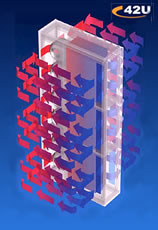
Rittal Liquid Cooling - Rack air conditioners are generally not used in traditional data center environments that have adequate CRAC systems. However, if IT equipment will be placed outside of a controlled data center environment, such as in a warehouse or factory, rack air conditioners are sometimes used. It is important to keep in mind that rack air conditioners are intended for use in industrial and large spaces, they generate condensation and noise, and they exhaust hot air into the room where the enclosure is located. In a large room, the heat will dissipate. In a smaller room or confined space like a closet, the exhausted hot air from the AC unit can cause the room to overheat. If an AC unit is used in a small room, measures must be implemented to exhaust the hot air from the room. Air conditioner models differ in the amount of cooling output they can provide, so select one appropriate to your needs.
Below are formulas to help estimate the heat load of a rack and select an appropriate sized air conditioner:
- Add up the wattage of each device and convert it to BTUs (a device’s manual usually lists its wattage). You can also determine wattage with the following formula (Watts=Volts X Amps) where 1,000 Watts=1kW. (5)
- If a rack air conditioner will be used, consider that approximately 3,400 BTU is generated for every 1 kW consumed. Air conditioners are rated for different BTU levels, so select a unit that will provide adequate cooling for the estimated BTUs generated.
Rack Airflow Tips
Other ways to improve cooling include using blanking panels to manage air flow efficiency, selecting a rack with built-in channels for better cable management and improved air flow, and removing any obsolete or unnecessary equipment from the rack. In addition, consider that 3-phase power can significantly increase available amperage into the server rack, reducing the overall number of PDUs needed to power equipment and leaving more space for airflow.
Server Rack Placement in Data Center / Server Room
Rising energy costs are compelling many to rethink their IT practices and reduce power consumption by implementing energy efficiency best practices. Proper planning including hot / cold isles containment strategies, managing current and future hot spots, and continued monitoring the heat dissipation in your data center will help you increase existing cooling capacity. Sealing cable openings in the raised floor with grommets is also key.
2. Consider The Latest Power Technologies
Power Distribution Units (PDUs) evenly disperse power to servers over the entire power strip. Rack mount power strips are specifically made for server racks and mount vertically or behind mounting posts in the back portion of a cabinet. Power strips fall into two categories: standard and intelligent.
While standard power strips have some features that can provide valuable information, such as fuse replacement indicators and current output displays, they must be managed in-person and on-site. In contrast, intelligent power strips provide remote power control, which allows administrators to perform a cold reboot of servers and devices and troubleshoot problems from any location with an internet connection, reducing server downtime and getting vital business functions back online quickly. Remote power products not only provide intelligent control of attached systems, they also allow administrators to leverage leading advances in power distribution, such as 3-Phase power.
Three-Phase power technology is not exclusive to remote power management products, but many solutions can accommodate or incorporate it. Compared to single-phase power, 3-Phase power uses fewer circuits, provides a more balanced power load, reduces the overall number of PDUs needed to power equipment, and significantly increases available amperage into the server rack. As an example, in a traditional rack environment, (4) 20-amp circuits would be required for 64 amps of available power (assuming a maximum 80% load). In contrast, a 3-phase circuit can provide up to 51.6 amps per circuit, or more than 82 amps of available power, while only requiring 2 circuits (assuming a maximum 80% load). The cost savings of 3-Phase power is beneficial, especially since experts estimate that in the future, electricity costs could rise from current levels of 10 percent or less of IT budgets to 20-30 percent (3). Other power-related aspects to keep in mind include the number of outlets you will need, plug/receptacle requirements, and redundancy requirements.
3. Select An Appropriately-Sized Rack
Select a server rack with sufficient internal space to house your current equipment and ensure that you have ample space to accommodate planned future expansion as well as any unplanned equipment purchases. Rack mount equipment is measured in the Electronic Industries Alliance (EIA) standard “Rack Units” or Rack “U”. One “Rack Unit” is equal to 1.75″ in height. Keep in mind that space for accessories, such as environmental monitoring devices, remote power management devices, rack mount LCD monitors, and battery back-up, may be necessary. For example, if you need to accommodate 20 2U servers, you would likely want to choose a rack with a height of 44U to accommodate accessories such as a 1U patch panel, as well as a 2U UPS back-up battery. A rack’s internal height is measured from the tallest point of any side rail to the bottom chassis; internal depth is measured from the insides of both front and rear doors; and internal width is measured from one side panel to the other. Be sure that the rack’s external dimensions can be accommodated in the floor space allotted for it, check that it can be safely moved through all doorways, and ensure that its placement meets any relevant clearance or safety regulations. As a note, always use appropriate rack-loading techniques, including placing heavy items at the bottom of the rack to prevent a rack from becoming too top-heavy, have a plan about what you want to put toward the front and back of the rack (based on how much you will need to access or remove equipment), and have someone help load equipment that is heavy and/or above the height of your head. (1)
4. Physical Security Starts Here
Proper security is vital to the overall well-being and the function of your business. Knowing how your server rack fits into your overall security strategy is just as important. There are several measures you can take to improve the security of the racks and equipment in your data center. To begin with, consider purchasing server racks that have locking front and rear doors, as many models offer this option. Some newer racks can have the option for Smart Card – CAC access control. Second, use environmental monitoring devices to proactively monitor your racks. In addition to allowing administrators to continuously monitor amperage draw per circuit, water leaks, temperature, and other variables, and sending alerts automatically via SMTP/SMS/SNMP when conditions exceed established thresholds, several environmental monitoring devices have door sensors that support “normally open” or “normally closed” conditions and can alert administrators when a cabinet door has been opened. (When a change in state relative to its defined threshold occurs, the device reports an “error” condition.) In addition, there are devices available that work with docked camera pods and sensor pods to allow administrators to continually visually monitor server racks and rooms, as well as record audio clips. If you are planning a new data center, you might also consider additional physical security measures such as building the data center away from a main road, limiting windows in the data center, and providing secure entrances and exists. (2)
5. Tailor Your Rack Design To Work For You
Most manufacturers will allow you to select from many options, so that your server rack meets the specific requirements of your environment. There are several common areas that you should be able to select options from.
- Shelving: Most manufacturers offer several server rack shelf options, including adjustable or fixed server shelves with four-point mounting; sliding keyboard shelves with 2-point mounting; vented, heavy-duty, or cantilever shelves; and media shelves. Choose a server rack shelf with a depth of 6 inches less than the overall depth of the rack-for example, if you have a 30-inch deep cabinet, choose a shelf with a depth of 24 inches.
- Top and Side Panels: Top panels protect equipment from foreign materials. Options include perforated slots for added ventilation, grommet holes for supplementary cable management pathways, and mounting for exhaust fans. Side panels offer security and are often available in several options: solid fixed, solid removable, and solid with vents (louvered).
- Mounting Rails: Most racks come with two sets of mounting rails. However, additional sets of rails can be ordered to accommodate different depths and facilitate rack loading. Most manufacturers allow you to choose from Universal Mounting Rails (square holes fitted with cage nuts) or EIA Standard rails (with 10/32 tapped holes). Universal rails will support 19″ EIA width rackmount and networking equipment and almost all server equipment. EIA Standard Mounting Rails support 19″ EIA width rackmount and networking equipment and some server manufacturers’ rack mounting equipment. Whether the rails have square or tapped holes, all mounting rails comply with the ANSI/EIA-310-D standard (1992). Most major enclosure manufacturers recommend rails with square holes and cage nuts, and currently most off-the-shelf rack models utilize rails with square holes.
- Feet: Available “feet” options include retractable anti-tip feet to stabilize mid-to top-heavy loaded racks; casters that attach to the bottom of server cabinets to help maneuver racks; and levelers that should be used if casters are implemented to ensure that the rack remains level once it has been moved from one place to another.
Read more on Server Rack Strategies for Energy Efficient Data Centers
References
(1) “Rack Layout”. Retrieved from: http://www.hurgh.org/articles.php?article=rack_layout
(2) Scalet, Sarah (2005). “19 Ways to Build Physical Security into a Data Center.” CSO Magazine. Retrieved from: http://www.csoonline.com/article/2112402/physical-security/19-ways-to-build-physical-security-into-a-data-center.html
(3) Kirk, Jeremy (2006). “Hot, cramped times ahead for datacenters. ” Infoworld. Retrieved from: http://www.infoworld.com/article/26….
(4) Brill, K. (2005) “2005-2010 Heat Density Trends in Data Processing, Computer Systems and Telecommunications Equipment.” Uptime Institute.
(5) Miller, Sandra Kay (2006). “Chilling With Portable AC.” Processor. Retrieved from: http://www.processor.com/editorial/article.asp?article=… (opens archive.org version)